Wordpress Image optimizer
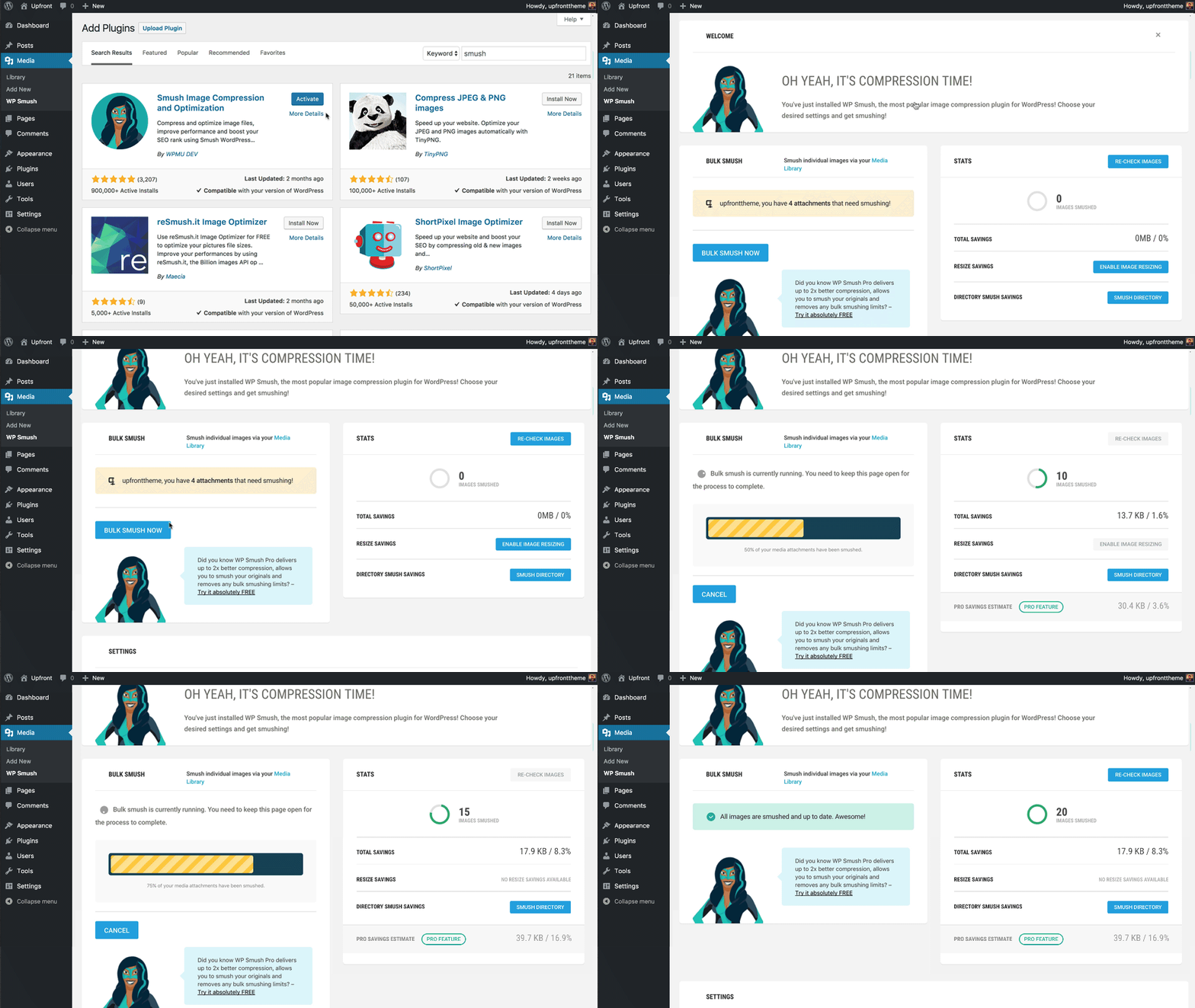
In this article we will see how to use the free wordpress image optimizer plugin (wp-smush) to optimize wordpress images and speed up wordpress loading speed. Go to plugins-> Add new Search for ” wp smush” Install and activate the wp smush plugin Go to plugins-> active-> WP smush-> Activate Click on Bulk Smush Wait […]
Free wordpress google authenticator- How to add?

Adding wordpress google authenticator can help protect your wordpress site from malicious attacks that aim to steal your wordpress password through brute force attacks. Adding wordpress Google authenticator will send an sms to your registered phone number which you will have to enter to gain access your wordpress site. How to add Wordpress google authenticator- […]
How to add two factor authentication to wordpress for free

Two factor authentication for wordpress is a great way to protect your wordpress website from brute force attacks. Two factor authentication adds a layer of protection to the standard password method of online identification. Adding two factor authentication to wordpress is relatively quick and free. When you add two factor authentication, even if they get […]
How to enable push notifications in wordpress for free

Push notifications in wordpress are a great way to build a customer base and remarket to them new blogs. Hence this not only helps in bringing return traffic, but also helps in communicating better with your interested audience. In this article,we will see how to enable push notifications in wordpress using onesignal. This guide enables […]
How to add social login in wordpress using super socializer plugin

Want to get more sign ups in your wordpress site? One of the easiest ways is to add social login to your site. This shortens the sign up process and fortunately there are social login plugins that can help you do this. Here are steps to add social login in to wordpress- Install Super socializer […]
Wordpress login- How to login into wordpress

In this article, we will see how to login into your wordpress dashboard. A prerequisite is that you should have completed installation of your wordpress site. The admin section of your wordpress section is the place where you can make changes to your wordpress site’s look and feel, add plugins and much more. Here are […]
Must have wordpress plugins- Exhaustive list
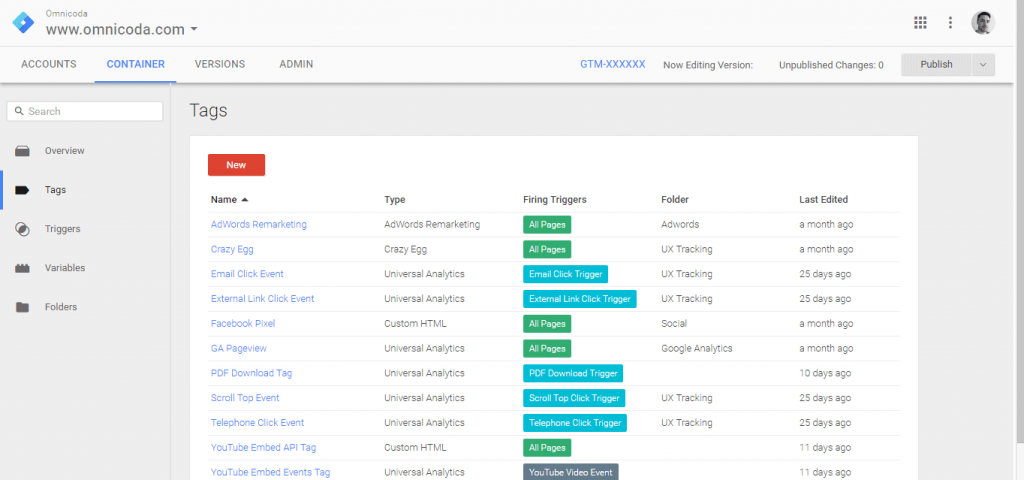
Here are must have wordpress plugins that can help run your wordpress site optimally in all aspects – speed, seo friendly, customer experience, security, html design of pages, tag management and image optimization- yoast, elementor, Google two factor authentication, wp cerber security, google tag manager and more. If you have just started your wordpress website, you […]
Custom search API – Expertrec
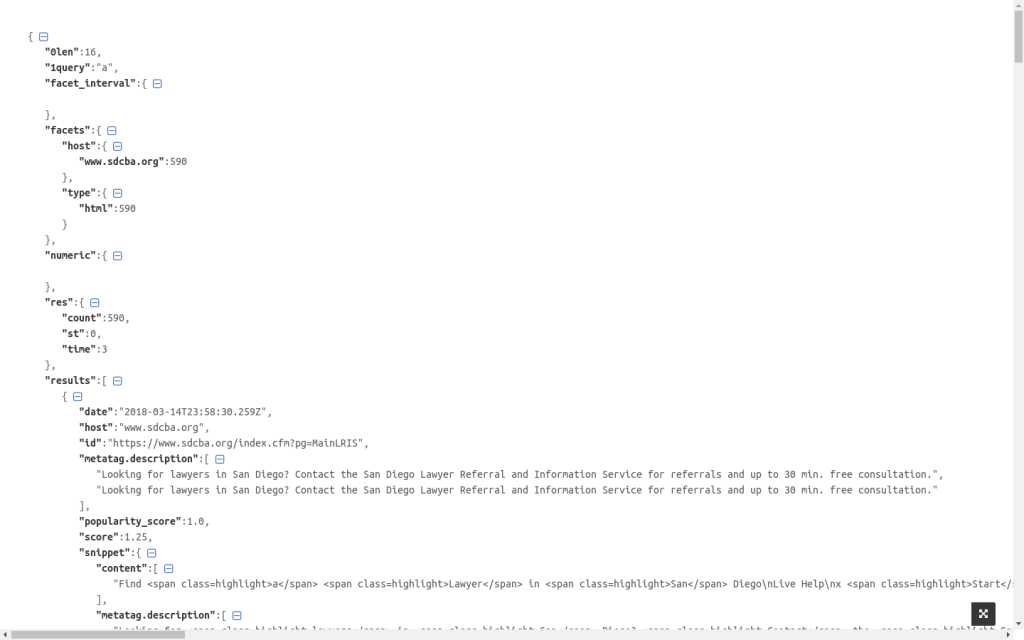
Expertrec’s custom search API- This article explains how you can use expertrec’s custom search api to get search results programatically. Go to https://cse.expertrec.com?platform=cse and enter your website URL to get your crawl started. Go and click on your demo link. In your control panel get your API key (site ID is your API key) (have a […]
How to set up magento URL redirect

Setting up magento URL redirect is an easy way to help users navigate on your magento store and improving your site search performance. In short you can choose a landing page for a search query. For example, you analyze top search queries ( Magento admin panel -> Reports->Search Terms ) on your magento store and […]
